Showing posts with label News. Show all posts

Wednesday, September 7, 2011

Nokia Sleeping Screen


Light in darkness!

Nokia Sleeping Screen makes your phone stand out from the crowd by painting beautifully crafted images on the sleeping screen.

 It is not only about aesthetics - Nokia Sleeping Screen is highly useful, too. With just a glimpse you’ll be able to see missed calls, unread text messages, and reminders presented with clear icons and animations.

Nokia Sleeping Screen gives you an enjoyable view to sleeping phone while it maintains the battery operating time of your phone.

Available for Symbian^3 & Anna phones with AMOLED display technology, such as C6-01, C7-00, N8-00, E7-00 and X7-00.  Nokia Sleeping Screen has been verified on latest Symbian SW versions and is known to work with the latest Qt version 4.7.3.

Nokia Sleeping Screen is a product of Nokia Research Center.

Happy tuning!

Features

    Personalization by selecting the appearance of the phone.
    Possibility to use own pictures as background images.
    Time & date, profile name always visible with a glimpse of the phone.
    Rich visual notifications of missed calls, sms, and calendar events.
    Night clock mode setting to dim the appearance for night period.
    Very clear battery charging indication with animation.
    Low power consumption, descreased even further by turning screen off when phone is covered, for example in a bag or your pocket

 Info & download click here
note: you must login first

Sunday, August 28, 2011

New Nokia Maps v3.08 With Weather


Nokia Maps v3.08 now with the weather. Here I quote from NokiaBetaLabs:

The latest version of Maps v3.08 is here with a beautiful little weather app to help you plan for the day by the hour or give you a handy five day overview.  Also, to make your commute safer, we’ve added live traffic routing info in the Drive start screen, cleaned up the UX framework and made search results easier to read. And remember that really annoying Drive to contacts crashing bug? Gone.

There’s also a new installation UI that shows you what’s installing in your phone as it happens, instead of one massive file uploading at once. Be warned that you will need an internet connection the entire time of installation and it may take longer than before. Apologies in advance for this! Rest assured, it’s a necessary step for very cool things to come!

What’s different in this version of Maps v3.08:

    Cool Weather app - get local conditions by the hour and forecasts for the week
    Live traffic routing info included into Drive start screen
    Metric/imperial toggle from Drive UI removed
    Search result details are easier to read
    Cleaner UX framework
    New SmartInstaller installation UI


Compatible phones: N8, E7, C7, C6-01, E6, X7


Info & download click here
note: you must log in first


Wednesday, August 24, 2011

NOKIA Nearby New App From NokiaBetaLabs


Recent applications of NokiaBetaLabs Nokia nearby. What is Nokia Nearby? I quote from NokiaBetaLabs following:

Introducing Nokia Nearby, an innovative 'Hyper-Local Search' application where you can look for information about local places & listings within your vicinity. Discover places & listings like restaurants, movie theaters, and malls etc even without maps on your phone. Get details about the places that interest you and contact them from within the app.


    Discover & access info on places & listings around your location

    Search for location specific information within your vicinity

    Share place information with friends via SMS

    Send the entire app to friends via Bluetooth

    Call the listing from within the app


Disclaimer


While this app works on S40, S60, and Symbian devices, it is targeted primarily towards emerging markets with a high emphasis on S40 devices. We are not trying to replace Maps but instead, trying to drive the value of location-based services to consumers and introduce them towards map-based behaviors.


Info and download click here
note: you must log in first


Sunday, August 21, 2011

Fmobi - Facebook Client Update to v1.3.1 (beta)


With the increasing number of facebook users, applications fMobi updated, little by little patch deficiency. for user convenience. fMobi now provides a video on how to use.


Improvements in V1.3.1

- Feed filtering

- Bug fixes

- UI fixes


Application feature


    News feed

    Chat

    Profile

    User info

    Messages

    Check In / Places

    Sound notifications

    Top Friends

    Liked Pages

    Groups

    Events

    Commenting / Liking

    View comments / likes

    Albums / Photos

    Notifications

    Landscape / Portrait

    Black / White theme


Overviews


Download for Symbian^3


Friday, August 19, 2011

Nokia Sleeping Screen for symbian^3 (update)


NokiaSleepingScreen yesterday in the update again, what is Nokia Sleeping Screen? is a screensaver application for phone Symbian3 / replacement screen after the display light goes out. other than that the application presents a number of features to see missed calls, SMS messages, and reminders, in the form of animation.


Application Features:


- Personalization by selecting the appearance of the phone.

- phone is covered, for example in a bag or your pocket

- Possibility to use own pictures as background images.

- Night clock mode setting to dim the appearance for night period.

- Very clear battery charging indication with animation.

- Low power consumption, descreased even further by turning screen off when

- Time & date, profile name always visible with a glimpse of the phone.

- Rich visual notifications of missed calls, sms, and calendar events.


Download and info click here and you need to login

NOKIA Play To for Symbian^3 (update)


A few days ago the application NOKIA Play To be updated, with some changes and improvements which are mainly for Xbox and PS3, for more details, let's read the explanation:


Nokia Play To lets you show photos and videos taken with your mobile to your friends wirelessly on your TV. Or you can listen to your favourite music stored on your mobile with your home audio system. Just launch Play To, select the device and media you want to play. No configuration is needed once WLAN is on and all devices are connected to the same network.


Nokia Play To is meant for playing media stored on mobile i.e. it is not possible to access other DLNA devices with it. We wanted to concentrate on creating a solution for easily enjoying mobile media on a big TV screen or with an audio system. If you are familiar with DLNA technology we are supporting push and server functionalities with our current implementation.


A network with WLAN access is needed as well as a DLNA capable playing device (e.g. TV, A/V amplifier, Blu-ray player or PS3 game console). All devices including mobile must be connected to the same network.


Overview


Download and detail click here with the records you need to login

Saturday, August 13, 2011

App Facebook For Every Phone


Facebook for every single application


2500 + works on mobile devices around the world


Be glad you have nokia phones, Facebook now has an official application for nokia phone, as described on video ads. 2500 + mobile devices.


then how do I get the official fecebook application?


first you must visit http://m.facebook.com subject to the default browser. not from a third party. then press the scroll down and find the download button. if not try to get into http://d.facebook.com/install if there is still no longer means Facebook is not made for your phone, or have a facebook application / default from cell phones.

See Her Videos.


Thursday, August 4, 2011

Facebook For Every Phone App


Facebook for every one app
2500 + works on mobile devices world wide
Cheer up you who have a nokia phone, Facebook now has an official application for nokia phone, as described on the video ad. 2500 + mobile devices.
then how do I get an official application fecebook?
first you should visit http://m.facebook.com subject to the default browser. not from a third party. then press the scroll down and find the download button. if no try to get into http://d.facebook.com/install if there is still no longer means Facebook has not made for your phone, or have any facebook application / default from cell phones.
Let us look at the video


Nokia 500 Ad Video

Nokia Unleashes the video ad for the Nokia 500, see what kind of video let's see.


Wednesday, July 20, 2011

Nokia X7 New Ad – The 4″ AMOLED Touch Screen Phone

Recently Nokia Canada makes TV ad Nokia X7 on the official website on youtube, showing off the advanced features nokia x7, let's look at the video.

 
With a brushed stainless steel finish, the Nokia X7 is the perfect touch screen phone for entertainment from HD Games to HD Video. The 4" AMOLED screen display makes browsing mobile web sites, watching videos, accessing mobile apps and HD gaming a real pleasure.

What people are saying about the Nokia X7?

YouTube - It looks like a cool phone
Facebook - Beautiful
Twitter - Nokia X7 has the brightest AMOLED tested by GSM Arena

Monday, July 11, 2011

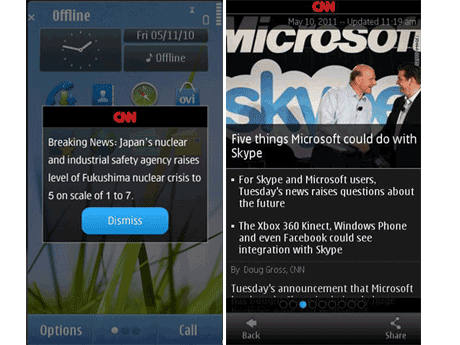
CNN International Beta Version 1.2 available on NokiaBetaLabs

On 8 July, CNN International beta in the update again, version 1.2 beta is now available in NokiaBetaLabs, see what changes in this version, see the following improvements.
  • New look & feel for CNN Breaking News dialogue. It would be great if you could install CNN 1.2. before the weekend, as you will be doing manual test push notifications on Saturday, Sunday and Monday 10:00am Pacific time.
  • Home screen (alias widget) support. Preferred category can be selected from settings. Default is top stories.
  • Added support for S60 5th ed phones. Note: 5800 users must have  PR4 (V40.0.005) or later sw version installed. CNN Video-on-demand  and CNN Live do not yet work in this release on S60 5th ed devices.
  • It is now possible to shoot an image/video directly from iReport/submit.
  • Based on Qt 4.7, previous version using Qt 4.6
  • Many small improvements.
 

Info and download click here

    Saturday, July 9, 2011

    Symbian Anna Browser New Ovi Maps Will present On S60v5

    Some time ago Nokia officially announced that the new Browser Nokia Browser v7.3 update will be available for S60v5 and S60v3 phones. Time to Rejoice! We are pleased that Nokia does not leave S60V3 and s60v5 only. Nokia also promised that S60V3 phones will get three SR4 Maps Ovi brings the position in the room via WiFi,as well as travel and recommendation services such as those through Lonely Planet. And the S60V5 users will be getting Ovi Maps 3 SR6 which brings public transport lines and check-in services to social networking sites. Also the messaging app will support emoticons to bring more fun while messaging. Shockingly this update is now available for download in Nokia C6-00 and 5230!!! and the rest of the models will follow in the next few weeks.

    Nokia Official Announcement :

    If you’re the proud owner of a Nokia E72, Nokia 5230 or other Nokia phone powered by a Symbian version prior to Symbian^3, I’m sure you’ll be as pleased as we are to hear that some new features will be coming to your phone soon. Read on to find out what’s being added.
    Despite the arrival of the new Symbian platform and new phones such as the Nokia X7 and E6, the older devices that people are carrying in their pockets for years have not been forgotten by any means. The software team at Nokia has been working hard on bringing updates to these phones, too, in order to improve their feature set, as well as to provide the usual fixes and improvements.
    These updates will be targeted at selected phones running Symbian 3.2 and Symbian 5.0, but let’s break that down so we know exactly what that means:
    Symbian 3.2
    • Nokia E72
    • Nokia E52
    • Nokia E5
    • Nokia C5-00
    • Nokia 6700 slide
    Symbian 5.0
    • Nokia C6-00
    • Nokia C5-03
    • Nokia 5230
    • Nokia 5235
    • Nokia 5250
    • Nokia X6
    • Nokia N97 mini
    • Nokia 5800 XpressMusic
    • Nokia 5530 XpressMusic
    One of the key updates is the Nokia browser v7.3, the same that will be available for newer Symbian phone in the coming months with Symbian Anna. It provides faster browsing, supports International Domain Names (IDNs) and also supports non-ASCII letters such as Arabic or Chinese. Ultimately, you’ll get a better browsing experience.
    Ovi Maps is another updated feature in these handsets, but there are two different versions to take into consideration. Ovi Maps 3 SR4 will feature on Symbian 3.2 devices, bringing indoor positioning through WiFi, as well as travel and recommendation services such as those through Lonely Planet. For users of Symbian 5.0 devices, you’ll get Ovi Maps 3 SR6, adding public transport lines and check-in services to social networking sites.
    And finally, a set of emoticons will be added into all listed devices, giving you a fun way of expressing your feelings when writing text messages or sending MMSs to your friends and family.
    The launch of those updates goes like this: Nokia C6-00 and Nokia 5230 download release starts as of today, and the rest of the models will follow in the next few weeks.
    And one more thing: it’s worth noting that the updates won’t hit all the phones at the same time but will be rolled out in stages, as normally happens. So make sure you have the software update autocheck switched on in your phone. 

    [via]

    Sunday, July 3, 2011

    Update Opera Mobile 11.1 and Opera Mini 6.1 for symbian & s40

    The Opera team updated the Opera Mobile and the Opera Mini browser today! You’ll love how fast and easy Opera has made browsing the Web on your phone or tablet. The latest version introduces great features that make it a snap to get to the webpages you want. Their improved compression technology also helps you save money on data charges. Browsing on the go has never been so enjoyable.

    Whats new:

    One field does it all

    You can now type both web addresses and search queries in your browser’s address field. Or, if you prefer, you can still use the search field with your favorite search engines.

    Auto-suggest saves you typing

    Suggestions from Google search and your browser history appear as soon as you begin typing. Select what you want, and you’re done.

    Address entry is finished for you

    Domains such as .com, .org, or .net are added automatically when typing a URL. Now, they also learn more from the sites you visit—such as .gov, .edu, .co.uk or that of your country.

    Easy and powerful text selection

    When you want to select text, hold your finger on what you want. Handles appear around a word that allow you to select precisely. You can then copy the text or search with it.

    Complex pages made simple

    An option to have webpages laid out in a single-column view makes it easy to read large webpages with many parts on a small screen, without needing to scroll back and forth.

    Special enhancements for Opera Mobile

    • Opera Turbo, enhanced for speed: Enable Opera Turbo for a big boost in speed on slow connections and also lower your data use by up to 80%. We have taken Opera Turbo to the next level, making it significantly faster.
    • More HTML5 and web standards support: CSS gradients and multiple columns are now supported. A rendering engine upgrade to Opera Presto 2.8.149 offers many enhancements and further support for HTML5, CSS and more.
    Download official site  HERE
    From this site Opera Mini 6.1 for s60v5 & s^3 here
    Opera Mobile 11.1 for s60v5 & s^3 here
    Opera Mini 6.1 for s40 6th NOKIA C3-00 here

    [via]

    Tuesday, June 21, 2011

    Nokia N9 Specs and video

     Specifications:
       -  1GB RAM
       -  The Nokia N9 comes in three colours: black, cyan and magenta
       -  8MP auto focus camera with Carl Zeiss optics, dual LED flash and super wide 28mm
       -  HD video and true 16:9 resolution photos are supported
       -  NFC
       -  Bluetooth  2.1
       -  GPS, A-GPS,
       -  WLAN 802.11 A/B/G/N
       -  3.5mm AV connector
       -  Micro USB connector, USB charging
       - 116.45 mm x 61.2 mm x 7.6–12.1 mm (L x W x T)
       -  Weight 135 g
       -  3.9” WVGA (854×480) AMOLED display with curved Gorilla glass with anti-glare polarizer
       -  MeeGo 1.2 Harmattan OS
       -  Powered by ARM Cortex-A8 OMAP3630 1 Ghz, PowerVR SGX530
       -  1450 mAh Battery
       -  Comes with Dolby Headphone and Dolby Digital Plus support on the Nokia N9
       -  Comes with latest version of Nokia Maps with free, voice-guided turn-by-turn navigation

     Watch the video


    Thursday, April 28, 2011

    Nokia launches E6 and X7 Presents Newest Symbian Anna

    NOKIA proved still loyal to its Symbian platform. How could I not, though the middle of busy working on some smartphone based on WP 7, recently the Finnish handset manufacturer is releasing two new Symbian smartphone, namely E6 and X7.

    Judging from the model, both the Symbian smartphone platform presents a touch-screen capabilities. The difference, Nokia X7 comes with a treat-sized 4 inch touch screen, while E6 elegant enough to display a full QWERTY keyboard plus touch screen VGA 2:46 inches.

    NOKIA E6
    Smartphone is slim with dimensions of 115.5 x 59 10.5 mm comes with a bandage combination of glass and stainless steel. This smartphone comes with quad-band 2G networks and five-band 3G. 3G features on your Nokia E6 has been enhanced with 10.2Mbps HSDPA and 2Mbps HSUPA.

    Other connectivity features that served this smartphone include Wi-Fi b / g / n and Bluetooth 3.0 with JoikuSpot Premium (applications that can change your phone into a Wi-Fi hotspots).

    As for affairs lawyer Nokia E6 immortal picture camera equipped with a magnitude 8 MP fixed focus with dual LED Flash and capable of recording 720p HD video. Nokia E6 also has pinned a capacity of 8 GB of memory, and microSD card slot that can accommodate up to 32 GB of data.

    Interestingly, Nokia E6 also equipped with a battery that is claimed capable of up to 28 days in a state of standby and 15 hours when used for talking.

    NOKIA X7
    Full touchscreen smartphone was originally going to attend with nHD AMOLED screen measuring 4 inches by Gorilla Glass and clad in stainless steel in its body.


    Nokia X7 comes with quad-band 2G networks and tri-band 3G. Not only that, Nokia X7 is also equipped with connectivity features Wi-Fi b / g / n and Bluetooth 3.0.

    Same as E6, cameras in Nokia X7 has a resolution of 8 MP complete with dual-LED flash and can record 720p video.

    In addition to 8 GB capacity microSD card in the sales package Nokia X7 is also equipped with Nokia WH-701 headset.

    Both these Nokia smartphones, has been running the new OS Symbian Anna, updated version of the Symbian platform ^ 3 which has been long awaited.

    From the sources cited PULSAonline said that both this smartphone will be rolled out in the second quarter of this with the official in the range of $ 500 for Nokia E6 and $ 550 for Nokia X7.

    NOKIA E6 Specifications:

       * Network: GSM 850 / 900 / 1800 / 1900, HSDPA 850 / 900 / 1700 / 1900 / 2100;
       * Dimensions: 115.5 x 59 x 10.5 mm, 87 cc Weight: 133 g
       *Screen: TFT touchscreen, 16M colors, 640 x 480 pixels, 2:46-inch, QWERTY keyboard;
       *Camera: 8 MP, 3264x2448 pixels, fixed focus, dual-LED flash, geo-tagging, video 720p @ 25fps;
       *Memory: 8 GB storage, 256 MB RAM, 1 GB of ROM, microSD up to 32GB;
       *Connectivity: Wi-Fi 802.11 b / g / n, Bluetooth v3.0 with A2DP, microUSB v2.0, USB On-the-go support, 10.2Mbps HSDPA, HSUPA 2.0Mbps;
       *Operating System: Symbian OS Anna;
       *GPS: A-GPS support
       *Messaging: SMS, MMS, Email, Push Email, IM
       *Browser: WAP 2.0/xHTML, HTML
       *Radio: Stereo FM radio with RDS
       *Java: MIDP 2.1
       *Other Features: MP4/H.264/H.263/RV player, player MP3/WMA/WAV/RA/eAAC +, QuickOffice document editor (Word, Excel, PowerPoint, PDF), Organizer, Voice command / dial / commands, Predictive text input, 3.5mm audio jack;
       *Battery: Li-Ion 1500 mAh (BP-4L)

    NOKIA X7 specification:

       *Network: GSM 850 / 900 / 1800 / 1900, HSDPA 850 / 900 / 1700 / 1900 / 2100;
       * Dimensions: 119.7 x 62.8 x 11.9 mm, 85 cc Weight: 146 g
       *Display: AMOLED capacitive touchscreen, 16M colors, 360 x 640 pixels, 4.0 inches, Gorilla glass displays, Proximity sensor for auto turn-off, Accelerometer sensor for auto-rotate the UI;
       *Camera: 8 MP, 3264x2448 pixels, fixed focus, dual-LED flash, geo-tagging, face detection, 720p video @ 25fps;
       *Memory: 256 MB RAM, 1 GB of ROM, microSD up to 32GB, 8GB included;
       *Connectivity: Wi-Fi 802.11 b / g / n, Bluetooth v3.0 with A2DP, microUSB v2.0, USB On-the-go support, HSDPA, 10.2 Mbps, HSUPA, 2 Mbps;
       *Operating System: Symbian OS Anna;
       *CPU: 680 MHz ARM 11 processor, Broadcom BCM2727 GPU
       *GPS: A-GPS support
       *Messaging: SMS, MMS, Email, Push Email, IM
       *Browser: WAP 2.0/xHTML, HTML, RSS feeds
       *Radio: Stereo FM radio with RDS
       *ava: MIDP 2.1
       *Other Features: Digital compass, Active noise cancellation with a dedicated mic, MP3/WMA/WAV/eAAC + Player, Player DivX/XviD/MP4/H.264/H.263/WMV, Quickoffice document viewer (Word, Excel, PowerPoint, PDF ), Adobe Reader, Flash Lite 4.0, Voice memo / dial / command, Predictive text input, 3.5mm audio jack;
       *Battery: Li-Ion 1300 mAh (BL-5K)

    SOURCE: PULSAonline

    Tuesday, April 26, 2011

    NOKIA DROP For Symbian

    Nokia Drop is a simple and easy way to push content to your device. With it you can:
    • Change your phone's wallpaper
    • Send image as a file to your phone
    • Send URL to your phone
    Nokia Drop uses Push Notifications, so no cable or Bluetooth connection is needed.

    Supported devices
    Nokia Drop is compatible with S60 5th Edition and Symbian^3 devices. Nokia Drop has been tested to work with X6-00, 5228, 5230, 5235 Ovi Music Unlimited, 5530 Exp Music, C6-00, N97, N97 mini, N8-00, C6-01, C7-00, E7-00, 5233, c5-03, 5800 (PR4+).

    Supported PC browsers
    Nokia Drop extensions are compatible with Firefox 3.6 & 4.0 and Chrome (latest stable).


    Friday, April 15, 2011

    Ovi Maps for mobile v3.07 Beta version

    Now you can explore and navigate the world around you even faster. Open Maps, Drive, Check in and Guides with a just tap on your home screen. See where you are on a map, search for places anywhere in the world and get there with free Walk and Drive navigation in 90 countries. Easily check in to places and keep your friends in the loop on Foursquare, Facebook, Twitter and many other social networks.
    What's new and different from Ovi Maps 3.06?
    • Open Maps, Drive, Check in and Guides with a just tap on your home screen.
    • Search now includes a tab for favourites. Predictive search also works offline.
    •  Place pages have a new design including a new image gallery, user reviews, descriptions by business owners, leading guides and local content providers, e.g. TripAdvisor, HRS, Expedia additionally to Lonely Planet, Michelin guides, TimeOut, Qype and WCities.
    • Easily change the map views in Drive navigation by tapping the views icon. You can pan the map to see the next move and explore the map within the route overview.
    • Tap on Guides and immediately see the weather forecast for your location or another city.

     Smart innovation from previous releases
    • Save on data costs when home or abroad. Download the latest country maps with Update via Wi-Fi. With pre-loaded maps on your Nokia, your map experience is faster and you can use the core features also offline: map exploration, positioning, search, interaction with places, routing, route recalculation, Walk and Drive navigation.
    • See what maps you’ve already downloaded and check back for regular map updates.
    • Find recommended places near you when you’re browsing a Place or Address page.
    • Search and interact with places also when using Maps offline: contact, navigate via Walk or Drive, see on the map, save as a favourite and share. Just pre-load your country maps via Wi-Fi using Update.
    • Check in to places privately or publicly by sharing it on social networks: Foursquare, Facebook, Twitter, Qype, Friendster, LiveJournal, Hyves, studiVZ, Kaixin001, RenRen. You’re fully in control when sharing your location. Choose a place from the list to check in or add it as a public place if it’s missing. See the places you’ve been to in your check in history.

     * Known Issues *

        * You may find text in “Guides” which is not localised to all languages. This means you may see English text, even though your language settings are in another language.  
        * You might get different routes for the same routing request. Nevertheless there is no restriction in using the Drive functionality.
        * Settings will be lost from previous versions so you will need to reset them.
        * When exiting Guides, if you have used CitySeekr or MovieSeekr, Guides may crash.
        * If you are updating from 3.04 and select to use Maps in offline mode, the screen may freeze. If this happens. you need to restart.
        * If you experience installation issues , please could you send us your installation logfile which is located on your device. The logfile will be located in either: c:\data\ovimapsinstaller.txt or c:\ovimapsinstaller.txt (on your device, not your PC). Please email this file to: feedback-ovimaps@nokia.com with the subject: Ovi Maps v3.06 Installation issues

    * Useful Tips *

    * Map data Please note that if you have previously used Ovi Maps 3.06, your Map data will not be deleted after installing the updated release. If you are updating from 3.04 or earlier, your Map data will be deleted and you will need to update.
    * Installation: After installing Ovi Maps 3.07, the application will start automatically. Should this not happen, it is likely that Ovi Maps 3.07 has not been installed correctly. If this happens, please try installing again.
    * Home Screen Widget: The home screen widget is longer installed automatically, if you would like this you will need to configure this manually. You can do this by going to homescreen and long press on empty space. A widget with a plus sign will appear. Tap on the plus, the select Maps Applications and press Done.
    * Please note that previous versions of Map Loader or Nokia Maps Updater will NOT work with Ovi Maps 3.07. Please use Ovi Suite instead.


    * Want to go Back to version 3.06? *

    First, un-install these from the Application Manager:
        * Check In
        * Check In Agent
        * Check In Data
        * Check In Widget
        * Create a Place
        * Drive
        * Map and Navigation
        * Maps Settings Plugin
        * ODML Commons Repository
        * Ovi Maps
        * OviMapsEngine
        * Ovi Maps Installer
        * Ovi Maps ODML

    Download ovi maps v3.07
    More info NOKIA BETA LABS

    Tuesday, April 12, 2011

    NOKIA X7 Previews

    Finnish company Nokia introduced its touchscreen smartphone Nokia X7 safe based on a new version of the Symbian operating system, code-named Anna.

    Novelty brutal different appearance, suggesting that increased protection against external influences. For this purpose, the building of new items made of stainless steel, and the screen has a cover made of tempered glass.

    In addition, Nokia X7 comes with 4 inch touch screen (capacitive) resolution AMOLED display 640h360 points, 8 megapixel camera with video in HD resolution, 8 GB internal flash memory, 350 MB (RAM) and a slot for microSD memory card.

    In addition, the new Nokia brutal received support from GPS navigation and comes with a set of the latest version of software free of charge branded navigation - Ovi Maps.


    Other specifications Nokia X7:

        * Support communications standards: WCDMA 850/900/1700/1900/2100 MHz, GSM / EDGE 850/900/1800/1900 MHz
        * Dimensions: 119.7 h62, 8h11, 9 mm
        * Weight: 146 gr.
        * Platform: Symbian Anna
        Display: 4 inch touchscreen (capacitance), AMOLED, resolution 640h360 points, displaying more than 16 million colors
        * Camera: 8 megapixel camera, dual LED lights, support for HD video recording (720r/25 fps)
        Memory: 350 MB (RAM), GB (Flash ROM), a microSD slot for memory cards
        * Connectivity: USB 2.0 (microUSB, HS, USB On-The-Go), 3.5 mm audio jack, Wi-Fi 802.11 b / g / n, Bluetooth v3.0, GPS, A-GPS
        * Stereo FM radio
        * Battery: BL-5K (1300 mA / h)

    (SOURCE NOKIA4ME)

    Thursday, March 31, 2011

    NOKIA sleeping screen for symbian^3


    Nokia Sleeping Screen makes your phone stand out from the crowd by painting beautifully crafted images on the sleeping screen.

    It is not only about aesthetics - Nokia Sleeping Screen is highly useful, too. With just a glimpse you’ll be able to see missed calls, unread text messages, and reminders presented with clear icons and animations.
    Nokia Sleeping Screen gives you an enjoyable view to sleeping phone while it maintains the battery operating time of your phone.
    Available for Symbian^3 phones, such as C6-01, C7-00, N8-00, and E7-00.  Nokia Sleeping Screen has been verified on latest S^3 SW versions and is known to work with the latest Qt versions 4.6.4 and 4.7.2.


    Features
    • Personalization by selecting the appearance of the phone.
    • Time & date always visible with a glimpse of the phone.
    • Rich visual notifications of missed calls, sms, and calendar events.
    • Night clock mode setting to dim the appearance for night period.
    • Very clear battery charging indication with animation.
    • Low power consumption, descreased even further by turning screen off when phone is covered, for example in a bag or your pocket
    Set up:
       1. Select Nokia Sleeping Screen from Settings >> Themes >> Screen saver menu
       2. Choose your favourite screen saver look from Nokia Sleeping Screen settings view
       3. Tap the night clock -thumbnail to activate/deactivate night clock and to set the time period when the night clock -mode is automatically turned on.

    More info HERE

    Tuesday, March 22, 2011

    OPERA MINI 6 and 11 new released


    Some time ago Opera released a new version of Opera Mini 6. Check out all the new features after all this time has been rested.

    Adjusted Tablets
    We have designed a new user interface, especially for tablet users.
    YouTube support
    Click the video YouTube Mobile to launch directly in native media player of your device (if available).
    Better Font Support
    We have worked hard to improve the selection and font rendering Asia, including Thai and Arabic.
    Increased zoom for touch screens
    Pinch-to-zoom is now supported for multitouch devices. Regular touch devices now double-tap zoom, or with a new button Opera zoom.
    Open Link in Background
    Reading the news you disturbed and harness the power tab by opening new links in the background.
    A new look
    Opera Mini 6 sports a new design and upgraded, including new skins, and the new zoom and jump-touch buttons for easy navigation.
    Share
    Share a link directly to the main social networking sites such as you browse, directly from Opera Mini 6.


    Click here with your phone or click here the official site opera